MU Online Mount System Guide
Use the Trainer NPC in Lorencia at coordinates 122, 112 to create, level and evolve mounts. Mounts can reach +15, while evolution to the next mount requires at least +11.
Mount System Guide Contents
Trainer NPC · Create Mount · Level Mount · Evolve Mount · Options · Elite Options · Dark Lord Mounts
Trainer NPC Location
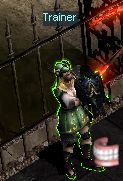
The Trainer is responsible for mount creation, level upgrades, evolution and option conversion.
How to Create a Mount
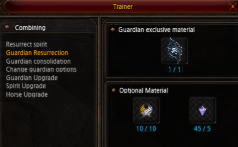
Speak to the Trainer and use the required Seal together with a Fragment of Resurrection. The example below creates a Ghost of Horse mount.
How to Level a Mount
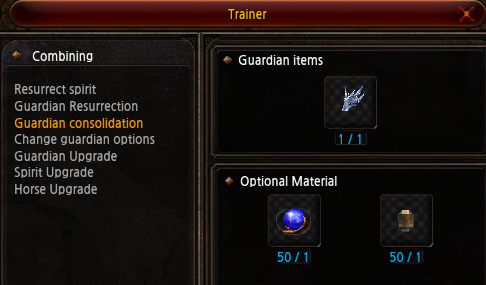
Use the Trainer's Guardian consolidation option with a Guardian Upgrade Stone or Elite Guardian Upgrade Stone together with Jewel of Life.
Failure warning: A failed level attempt does not destroy the mount, but it can reduce its level and consumes the materials placed in the upgrade.
How to Evolve a Mount
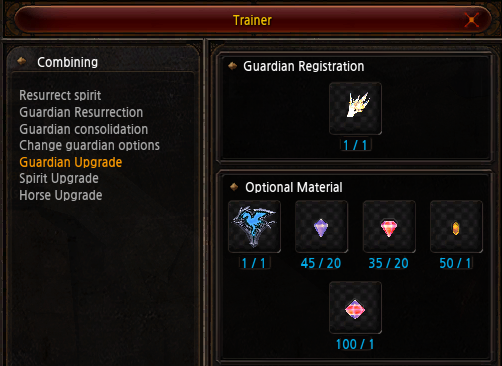
After the mount reaches +11 or higher, open the Trainer's Guardian Upgrade option and use the required Seal and Jewels to evolve it into the next mount. The provided evolution success rate is 100%.
Mount Options and Rarity
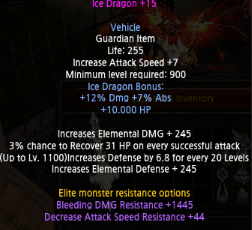
How to Change Elite Monster Resistance Options
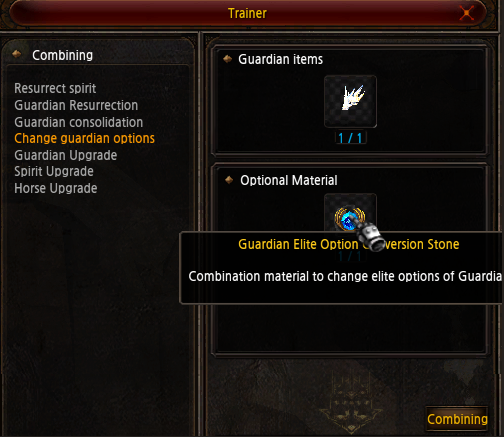
Use a Guardian Elite Option Conversion Stone through the Trainer NPC. Select Change Guardian Options to replace the mount's Elite monster resistance options.
Dark Lord Raven and Horse Upgrades
Only Dark Lord characters can use the Trainer's Spirit Upgrade and Horse Upgrade functions. The Raven or Horse must first reach the maximum Level 70.
Mount System Quick Reference
Visit the Trainer at Lorencia 122, 112 → use a Seal and Fragment of Resurrection to create a mount → level it up to +15 → evolve it from +11 → convert Elite resistance options when needed. Dark Lords can evolve Level 70 Ravens and Horses through exclusive Trainer functions.